
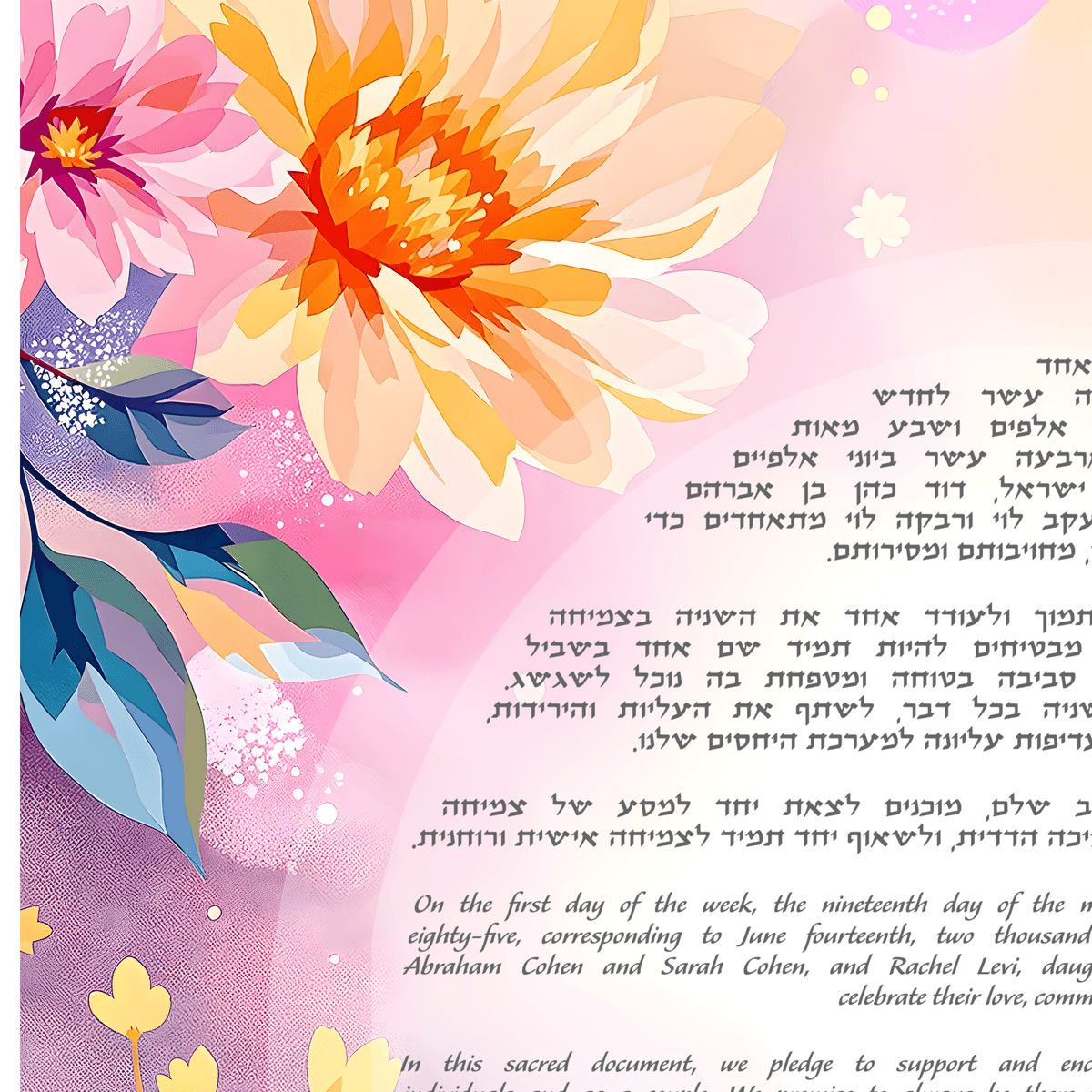
One of the most common concerns we hear from couples is: "I want a Hebrew ketubah, but I don't know Hebrew. How do I fill in my names and details without making a mistake?"
This is exactly the problem we built our design tool to solve. You don't need to know a single Hebrew letter to create a fully personalized ketubah with accurate Hebrew text. Here's how each step works.
Step 1: Choose Your Text Tradition
The first choice you'll make is which text tradition to use. We offer several categories:
- Orthodox: Eight regional traditions (Ashkenazi, Chabad, Chief Rabbinate, Sephardic Standard, Sephardic Rabbinate, Persian, Yemenite, Jerusalem Sephardic). These are traditional Aramaic/Hebrew texts with specific legal content. See our guide to Orthodox text traditions for details on each one.
- Conservative: Includes the Lieberman clause addressing the issue of a refused divorce (get).
- Reform: Egalitarian Hebrew and English texts emphasizing mutual commitment.
- Interfaith: Welcoming language for couples where one partner is not Jewish, while honoring Jewish tradition.
- Secular: Cultural and poetic texts without religious language, for couples who want a ketubah rooted in Jewish identity but not theology.
- Non-Denominational: Broadly inclusive texts that work across movements.
- Custom: Write your own text, or start from any template and modify it to say exactly what you want.
Each template shows both the Hebrew/Aramaic and the English translation, so you can read and understand every word before you commit to it.
Step 2: Enter Your Names in Hebrew
This is where most couples expect to get stuck, but it's actually easy. We give you two options:
Option A: On-screen Hebrew keyboard. If you know how to spell your Hebrew name (or someone has written it down for you), you can type it directly using our on-screen Hebrew keyboard. No need to install a Hebrew keyboard on your device.
Option B: Automatic transliteration. If you only know how your Hebrew name sounds in English, type it in English and our system will automatically convert it to Hebrew characters. Type "Avraham" and get "אברהם." Type "Rivka" and get "רבקה." The transliteration engine handles standard Hebrew names and common variations.
You'll enter Hebrew names for both partners and for their parents (father's name, and in egalitarian texts, mother's name as well).
Step 3: Cohen and Levi Status
In traditional ketubah texts, if either partner's father is a Cohen (descendant of the priestly class) or a Levi (descendant of the Levitical class), this is noted after the father's name. Our form includes a simple checkbox for each. If a father is a Cohen or Levi, just check the appropriate box. If you're not sure, ask a parent or leave both unchecked.
Step 4: Your Wedding Date and the Hebrew Calendar
Every ketubah includes the Hebrew date. Our tool handles the conversion automatically: enter your wedding date on the regular (Gregorian) calendar, and the system calculates the corresponding Hebrew date, including the day of the week, the day of the month, the Hebrew month, and the year.
You'll also be asked whether your ceremony takes place before or after sunset. This matters because in the Jewish calendar, a new day begins at sunset, not at midnight. A Saturday evening wedding, for example, takes place on the first day of the week in the Hebrew calendar (Sunday), not on Shabbat. Getting this right ensures your ketubah date is accurate.
Step 5: Same-Sex Couples
Hebrew is a gendered language, and traditional ketubah texts use gendered verbs, nouns, and pronouns throughout. Many ketubah providers handle this by offering entirely separate texts for same-sex couples.
We take a different approach. When you indicate the genders of both partners, our system automatically conjugates the Hebrew throughout the text. The grammatical forms adjust to match your couple, whether that's a man and a woman, two men, or two women. You don't need separate templates. You don't need to worry about the grammar. The same meaningful text works for everyone, with the Hebrew adjusted correctly behind the scenes.
Step 6: Review and Share
Before you finalize your ketubah, you can review the complete text with all your personal details filled in. The English translation updates alongside the Hebrew, so you can verify that every name, date, and detail is correct.
If you want a second opinion, you can share your ketubah text by email directly from the tool. Even better, you can send an editable link to your rabbi or officiant — they can review the Hebrew and English text right in their browser, make corrections directly, add a note explaining their changes, and submit everything back to you. You review their edits and accept or revise with one click. No back-and-forth emails, no PDFs, no confusion.
This is especially useful for:
- Your rabbi or officiant: They can review and correct the ketubah text directly, ensuring it meets their standards and that all details are accurate — without needing to explain changes over email.
- Family members: Parents or grandparents may want to verify Hebrew names or check that family traditions are reflected.
- Your partner: If you're working on the ketubah separately, sharing lets you collaborate without both needing to be at the same screen.
Step 7: Custom Text
If none of the templates say exactly what you want, you have full freedom to customize. You can:
- Start from any template and modify specific passages
- Write entirely original text in English, Hebrew, or both
- Combine elements from different traditions (for example, using an Orthodox legal framework with a personal English addition)
Some couples write their own vows into the ketubah. Others include a favorite poem, a quote from Jewish text, or a passage that has personal meaning to their relationship. The ketubah is your document. It should sound like you.
You Don't Need to Be an Expert
The whole point of our design tool is that the technology handles the hard parts: Hebrew spelling, calendar conversion, grammatical conjugation, and text formatting. Your job is the meaningful part: choosing what your ketubah says about your commitment to each other.
Start personalizing your ketubah text and see how simple the process is. From first click to finished text, most couples complete their personalization in under fifteen minutes.